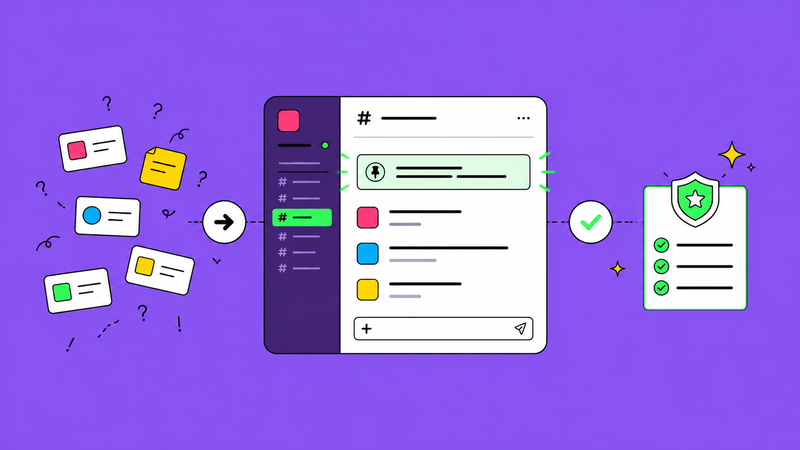
For about six months, our briefing process was a disaster. Design requests came in through email, Slack DMs, the project portal, and occasionally just verbal asks during video calls. Briefs got lost. Duplicates appeared. Nobody knew what was in progress, what was waiting, and what had been delivered. We were drowning in messages and still missing things.
We fixed it with one rule: all design briefs go through one Slack channel. Not two. Not one per client. One.
Why one channel works
When briefs are scattered across multiple channels, inboxes, and DMs, three problems emerge. First, nobody has a complete picture of what's in the queue. The project manager thinks there are 12 active requests. There are actually 17 because five came in through DMs. Second, priorities are impossible to manage because you can't rank things you can't see. Third, things fall through the cracks because 'I messaged you about it' doesn't mean 'it's in the system.'
A single channel solves all three problems. Everything is visible. Everything is in one place. And if it's not in the channel, it doesn't exist.
How we set it up
The channel is called #design-briefs. It has a pinned post with the brief template (the five-minute brief from our earlier post). When a brief is submitted, it gets a thread. All discussion about that brief happens in the thread. When the work is delivered, someone replies in the thread with the file and marks it with a green checkmark emoji. Done.
We disabled the ability to post anything other than new briefs in the main channel. Random questions, status updates, and 'quick asks' go elsewhere. The channel is sacred. It's a queue, not a chatroom.
The pushback we got
People resisted at first. 'But it's faster to just DM the designer.' Yes, it's faster for you. It's slower for everyone else because now the designer has to context-switch, the project manager doesn't know about the request, and if the designer is off sick tomorrow, nobody knows the brief exists.
'But some requests are urgent.' We created a simple escalation process. If it's genuinely urgent, submit the brief in the channel and tag the project manager with 'URGENT' and a deadline. The project manager re-prioritises the queue. Urgency is a queue management problem, not a channel problem.